
One of the biggest lessons I learned during 20+ years of homeschooling is this:
👉 The best learning rarely starts with a textbook—it starts with a question.

Back then, I didn’t have AI tools, apps, or instant answers. We used libraries, conversations, travel experiences, and a lot of trial and error. Today, parents have an incredible advantage: everyday life itself can become the curriculum, and tools like AI can help you shape it—without buying expensive programs.
Project-Based Learning (PBL) at home doesn’t need lesson plans, special supplies, or teaching credentials. It simply requires curiosity and a willingness to follow your child’s questions.
Let me show you how to turn ordinary moments into meaningful mini lessons.
What Is Project-Based Learning (and Why It Works at Home)
Project-Based Learning is when kids learn by doing, exploring, and creating, instead of memorizing facts. At home, it’s even more powerful because projects are rooted in real life.
Instead of asking:
-
“Did you finish your worksheet?”
You’re asking:
-
“How could we figure this out together?”
This approach:
-
Builds critical thinking
-
Encourages independence
-
Works for all ages
-
Adapts naturally to your child’s interests
And best of all—it feels like life, not school.
The Secret Starting Point: Everyday Questions

Some of the best projects I’ve seen started with simple questions like:
-
“Why does bread rise?”
-
“How much would a road trip cost?”
-
“How do animals survive in winter?”
-
“Can we build something like this?”
Instead of answering right away, try responding with:
“That’s a great question. Want to figure it out together?”
That single sentence turns curiosity into a project.
Step-by-Step: Turning a Question into a Mini Lesson
Step 1: Capture the Question
Write it down—on a whiteboard, notebook, or notes app. This shows your child their curiosity matters.
Step 2: Ask One More Question
Help guide the thinking:
-
“What do you already know?”
-
“What do you want to find out?”
-
“How could we test this?”
Step 3: Choose a Simple Outcome
Projects don’t need to be big. Examples:
-
A drawing
-
A short video
-
A poster
-
A small experiment
-
A mini presentation at dinner
Step 4: Explore Together
Use:
-
Books
-
Videos
-
Nature walks
-
Conversations
-
AI tools as a research helper, not an answer machine
Step 5: Reflect
Ask:
-
“What surprised you?”
-
“What would you try differently next time?”
-
“What new questions do you have?”
Reflection is where learning really sticks.
Real-Life Mini Project Examples

🍞 Kitchen Science Project
Question: Why does bread rise?
Learning Areas: Science, math, chemistry, reading
Project Idea:
-
Compare bread with and without yeast
-
Measure ingredients
-
Watch fermentation
-
Write or draw observations
💰 Family Budget Challenge
Question: How much does groceries cost for a week?
Learning Areas: Math, economics, life skills
Project Idea:
-
Plan meals
-
Compare prices
-
Track spending
-
Adjust the plan
🗺️ Travel Planning Project
Question: How long would it take to drive across the state?
Learning Areas: Geography, math, problem-solving
Project Idea:
-
Map the route
-
Calculate distance and time
-
Research landmarks
-
Create a pretend itinerary
🛠️ Build-It Project
Question: Can we make this ourselves?
Learning Areas: Engineering, design, creativity
Project Idea:
-
Sketch ideas
-
Gather recycled materials
-
Build and test
-
Improve the design
Using AI as a Learning Assistant (Not a Shortcut)
If I had tools like AI when my kids were younger, I would’ve used it as a brainstorming partner, not a replacement for thinking.
Here are copy-and-edit prompts parents can use safely:
Prompt 1 – Research Help
“Explain this topic in simple terms for a 10-year-old, using examples from everyday life.”
Prompt 2 – Project Ideas
“Give me 5 hands-on project ideas for a child interested in [topic].”
Prompt 3 – Reflection Questions
“Create age-appropriate reflection questions for a child who just completed a project about [topic].”
Prompt 4 – Creative Extension
“Suggest a fun creative activity to extend this project without using worksheets.”
Used this way, AI supports curiosity—it doesn’t replace it.
How to Create a Simple Project Sheet in Canva (Free)

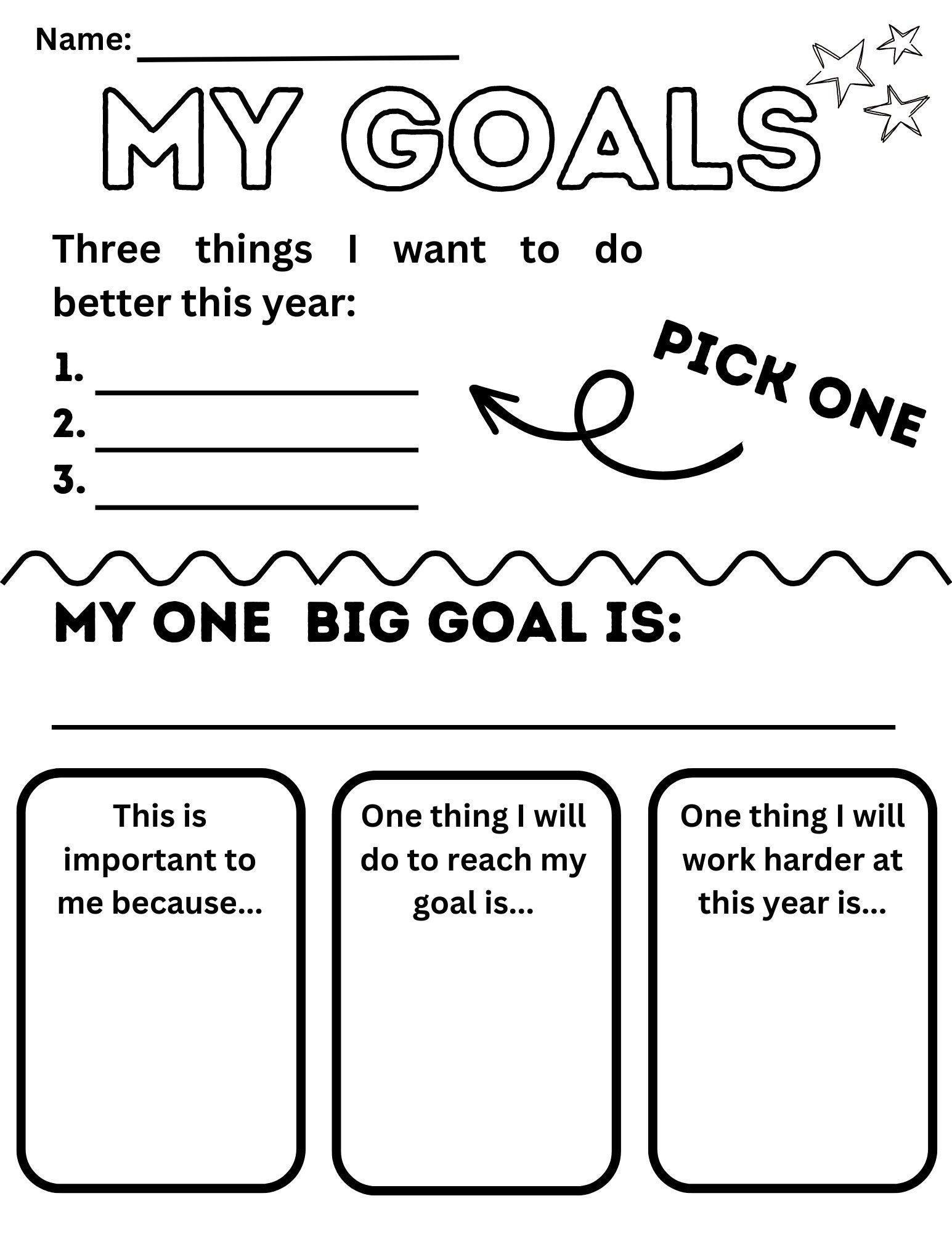
You don’t need anything fancy. A one-page project sheet works beautifully.
Step-by-Step:
-
Open Canva (free account)
-
Search: “Student worksheet” or “Goal sheet”
-
Choose a simple, kid-friendly design
-
Customize with these sections:
-
My Question
-
What I Already Know
-
What I Want to Learn
-
What I Did
-
What I Learned
-
-
Print it—or let kids fill it out digitally
This becomes a keepsake of learning, not just an assignment.
Why This Approach Builds Confident Learners
When kids learn this way, they:
-
Trust their curiosity
-
Learn how to find answers
-
Connect learning to real life
-
Feel ownership over education
As a parent, you stop feeling like:
“I have to teach everything.”
And start feeling like:
“We’re discovering together.”
That shift changes everything.
Final Encouragement for Parents
You don’t need a curriculum to raise thoughtful, capable learners.
You need:
-
Time
-
Curiosity
-
Permission to learn differently
Some of our best learning moments happened in the car, the kitchen, or during spontaneous conversations—and those lessons lasted far longer than anything we “covered.”
Start with one question this week.
Follow it.
See where it leads.
That’s project-based learning at home. 💛